Enter Invoices in Tally in 1 Click with EdocSmart: The Ultimate Guide to Automating Your Accounts
If you are running a business in India, you know the “Tally struggle” is real. It’s 7:00 PM on a Friday. Your desk is buried under a mountain of purchase bills, tea-stained receipts, and courier invoices. You know that if you don’t finish the gst invoice entry in tally prime tonight, your GST returns will be delayed, or worse, you’ll lose track of your input tax credit (ITC).
If you are running a business in India, you know the “Tally struggle” is real. It’s 7:00 PM on a Friday. Your desk is buried under a mountain of purchase bills, tea-stained receipts, and courier invoices. You know that if you don’t finish the gst invoice entry in tally prime tonight, your GST returns will be delayed, or worse, you’ll lose track of your input tax credit (ITC).
We’ve all been there—squinting at a faded thermal print receipt, trying to figure out if that’s an ‘8’ or a ‘3’, and then manually typing every single line item into Tally. It’s slow. It’s exhausting. And honestly? It’s prone to so many errors. One wrong decimal point in the GST column and your reconciliation becomes a nightmare.
But what if I told you that you could stop typing and start clicking? What if you could take that stack of invoices and move them into Tally in seconds, with 100% accuracy?
That is exactly where EdocSmart comes in. In this guide, I’m going to show you how to transform your accounting workflow from a manual grind into a high-speed digital process. We are talking about entering invoices in Tally with just one click.
1. The Manual Entry Trap: Why Indian SMBs Struggle with Tally
Let’s be honest: Tally is the backbone of Indian business. Whether you use the classic version or have upgraded to the latest, gst invoice entry in tally prime is a task that every accountant and business owner performs daily. However, Tally was designed for data storage and reporting, not for automated data capture.
The Pain Points We Face Every Day:
- The Time Sink: A typical purchase invoice with 10 line items takes about 3 to 5 minutes to enter manually. If you have 500 invoices a month, you’re spending nearly 40 hours just on data entry. That’s a full work week gone!
- GST Errors: Entering the wrong GSTIN, or swapping CGST and SGST, leads to mismatches in GSTR-2B. This means you lose out on tax credits.
- Ledger Confusion: Is this “Office Stationery” or “General Expenses”? When you’re tired, you make inconsistent choices, making your P&L look like a mess.
- Duplicate Entries: Without a system to check, it’s easy to enter the same purchase invoice entry in tally twice, leading to inflated liabilities.
Indian business owners, CFOs, and finance teams deserve better. You should be analyzing your margins and growing your sales, not typing out invoice numbers.
2. Introducing EdocSmart: The Bridge Between Invoices and Tally
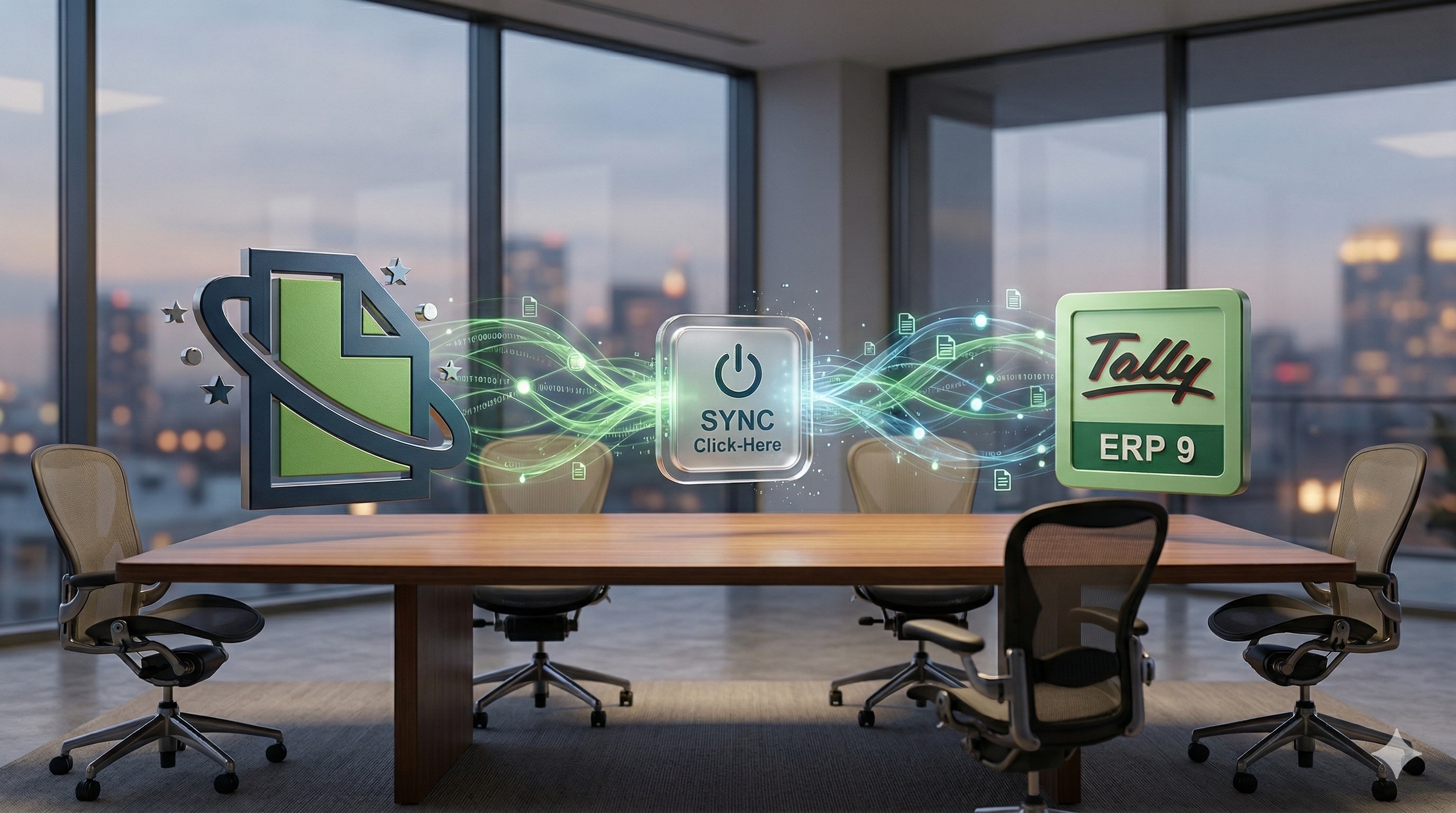
EdocSmart isn’t just another document scanner. Think of it as a highly intelligent “bridge.” On one side, you have your messy, multi-format invoices (PDFs, WhatsApp images, scans). On the other side, you have your Tally software.
EdocSmart sits in the middle. It reads the invoice, understands the fields (like Invoice Number, Date, Supplier Name, GST Rate, HSN Code, and Amount), and then pushes that data directly into Tally.
The beauty of EdocSmart lies in its simplicity. You don’t need to be a tech genius to use it. If you can upload a file, you can use EdocSmart. It is specifically designed for the Indian context, handling the nuances of purchase invoice entry in tally erp 9 and Prime with ease.
3. The Magic of the “1-Click” Workflow: How It Actually Works
The phrase “1-click” sounds like marketing fluff, doesn’t it? But with EdocSmart, it’s a reality. The software uses advanced AI and OCR (Optical Character Recognition) to eliminate the “typing” part of the job.
The EdocSmart Flow:
- Upload: You drag and drop your invoices into the EdocSmart dashboard.
- Extract: The AI instantly reads the data. It identifies the vendor, the items, the taxes, and the totals.
- Review & Map: You see the data on your screen. You can quickly check if everything looks right. This is where you map the data to your Tally ledgers.
- Push to Tally: You click one button. Boom. The gst bill entry in tally prime is done.
No more switching between a PDF window and Tally. No more Alt-Tabbing until your fingers hurt.
4. Step-by-Step Guide: Setting Up Your EdocSmart to Tally Flow
Let’s get practical. How do you actually perform a purchase invoice entry in tally prime using EdocSmart? Here is the step-by-step breakdown.
Step 1: Initial Connection
EdocSmart comes with a built-in Tally connector. Unlike other tools that require complex API programming, this connector is “plug-and-play.” You simply sync your Tally company with EdocSmart. The Connector can be deployed on your local PC which you use for entry.
Step 2: Uploading Invoices
You can upload invoices in various ways: * Direct Upload: Choose files from your computer. * Mobile App: Take a photo of a physical bill on EdocSmart mobile application.
Step 3: AI Data Extraction
Once uploaded, EdocSmart starts “reading.” It doesn’t just look for text; it looks for meaning. It knows that a 15-digit alphanumeric code starting with “27” is likely a GSTIN for Maharashtra. It finds the “Total Amount” even if the invoice calls it “Grand Total” or “Net Payable.”
Step 4: Verification and Column Mapping
Before the data goes into your books, you remain in control. The EdocSmart dashboard shows you the extracted data side-by-side with the original invoice image. * Mapping: This is the clever part. You tell EdocSmart which Tally ledger a specific item should go to. For example, any bill from “Airtel” should go to the “Telephone Expenses” ledger. The best part? EdocSmart remembers this for next time!
Step 5: The “1-Click” Push
After a quick review, you select the invoices and click “Send to Tally.” Whether it’s a purchase invoice entry in tally for a single item or a complex bill with multiple GST rates, EdocSmart handles the entry creation instantly.
Pro Tip: Always do a quick visual check of the “Total Amount” column in the dashboard before pushing. EdocSmart is 99% accurate, but that 1% human verification ensures your books are audit-ready.
5. Key Features of EdocSmart: More Than Just OCR
When looking for the best gst billing software in india, you need features that actually solve ground-level problems. EdocSmart is packed with them:
- Multi-Format Support: Whether it’s a high-quality PDF, a blurry JPEG from WhatsApp, or a scanned TIFF file, the engine can read it.
- Line-Item Extraction: Most basic tools only read the total amount. EdocSmart reads every single row—Item Name, Quantity, Rate, Discount, and HSN Code. This is vital for accurate purchase bill entry in tally with gst.
- GST Validation: It automatically checks if the GST math is correct. If the Base + Tax doesn’t equal the Total, it flags it for you.
- Duplicate Detection: It alerts you if an invoice with the same number from the same vendor has already been processed.
- Bulk Processing: Upload multiple invoices at once and let the AI work in the background while you have your coffee.
6. The Tally Connector: No Complex Setup Required
One of the biggest hurdles with automation is the technical setup. Many businesses shy away because they think they need an IT team.
EdocSmart’s built-in Tally connector changes the game. It is designed specifically for the Indian accountant who might not be a “techie.”
- Automatic Ledger Sync: It pulls your existing Ledgers and Stock Items directly from Tally into the EdocSmart dashboard. You don’t have to recreate your masters.
- Real-time Integration: Once you click “Push,” the entry appears in Tally Prime or ERP 9 immediately. No export-import of XML files required.
- Compatible with Tally Prime & ERP 9: Whether you are on the latest version or still love the classic ERP 9, the connector works seamlessly for your purchase bill entry in tally erp 9.
7. Why EdocSmart is the Best GST Software for CA and Accountants
Chartered Accountants (CAs) in India are under immense pressure during GST filing seasons. Handling multiple clients, each with hundreds of invoices, is a Herculean task.
EdocSmart is often cited as the best gst software for ca because it acts as a force multiplier. Instead of hiring five junior data entry operators, a CA firm can use EdocSmart to handle the heavy lifting.
- Standardization: All client data follows the same automated path, reducing the chance of human error.
- Faster Audits: Since the digital copy of the invoice is often linked or stored alongside the data, fetching documents for an audit becomes a breeze.
- Focus on Consulting: CAs can move away from being “data entry clerks” and focus on providing tax-saving advice to their clients.
If you are looking to scale your practice, learning how to do purchase invoice entry in tally prime efficiently is the first step.
8. Comparing Methods: Manual vs. EdocSmart
| Feature | Manual Entry in Tally | EdocSmart 1-Click Entry |
|---|---|---|
| Speed | 3-5 minutes per invoice | 10-20 seconds per invoice |
| Accuracy | High risk of typos | 95%* AI Accuracy |
| GST Reconciliation | Manual and painful | Automatic validation |
| Effort | High (Tedious typing) | Low (Simple review) |
| Cost | High (Labor hours) | Low (Subscription based) |
| Searchability | Hard to find physical bills | Digital archive available |
| Workflow | purchase invoice entry in tally is slow | gst invoice entry in tally prime is instant |
9. Real-World Case Study: How a Delhi Wholesaler Saved 40 Hours a Month
Let’s look at a real example. Rajeshwar Electronics, a mid-sized wholesaler in Nehru Place, Delhi, deals with over 800 purchase invoices a month from various mobile brand distributors.
The Before Scenario: Their accountant, Amit, spent the first 10 days of every month just doing purchase bill entry in tally erp 9. He was often frustrated by the different invoice formats of Samsung, Apple, and Xiaomi. Errors were common, and they frequently missed claiming ITC because of “data entry lag.”
The EdocSmart Shift: They implemented EdocSmart. Amit now spends just 2 hours a week. He uploads all the PDFs he receives on WhatsApp and email into the EdocSmart dashboard. The system automatically recognizes the distributors.
The Result: * Time Saved: 40+ hours per month. * Accuracy: GST mismatches dropped to zero. * Stress: Amit now handles inventory management and sales analysis instead of just typing. * Compliance: They now know exactly what is the gst payment entry in tally they need to make well before the deadline.
10. Security & Accuracy: Can You Trust the Data?
A common question I get from CFOs is: “Is my data safe? And what if the AI makes a mistake?”
Security
EdocSmart uses bank-grade encryption. Your financial data is your business, and it is treated with the highest level of confidentiality. Data is stored on secure servers, and the connection to your Tally is encrypted.
The “User-in-Control” Philosophy
EdocSmart doesn’t blindly push data into your accounts. It follows a “Review-First” approach. * You see the extracted data. * You see the mapping. * You click the final button.
You are always the boss. If the AI is unsure about a field, it flags it in orange or red, asking for your attention. This ensures that your gst bill entry in tally prime is always 100% verified.
11. Frequently Asked Questions (FAQs)
Q1: Does EdocSmart work with Tally ERP 9 or only Tally Prime?
It works perfectly with both! Whether you need to do a purchase invoice entry in tally erp 9 or you have moved to the newer Tally Prime, the built-in connector handles both with ease.
Q2: How does it handle invoices without GST?
The system is smart enough to detect tax structures. If an invoice doesn’t have GST, it will process a without gst bill entry in tally prime by selecting the appropriate tax-exempt or nil-rated ledger as per your mapping.
Q3: What if I have multiple GST rates on a single invoice (e.g., 12% and 18%)?
This is where EdocSmart shines. It performs line-item extraction, identifying which items attract which tax rate. It then creates a multi-tax entry in Tally, just like you would do manually, but much faster.
Q4: Can I edit the data before it goes to Tally?
Yes, absolutely. The EdocSmart dashboard is fully interactive. You can change the quantity, rate, ledger name, or even the invoice date before you hit the “Push to Tally” button.
Q5: Do I need to buy any extra hardware?
No. EdocSmart is a cloud-based solution. You only need your computer and an internet connection. If you have physical bills, any standard scanner or even your smartphone camera will work.
Q6: How does EdocSmart help with GSTR-2B reconciliation?
By ensuring your purchase bill entry in tally with gst is accurate and done on time, your books will always match the data uploaded by your suppliers on the GST portal. This makes reconciliation a 5-minute job instead of a 5-day headache.
Q7: Can I map different items to different expense ledgers?
Yes. EdocSmart allows for “Smart Mapping.” You can map items based on keywords. For example, any item containing the word “Freight” can be automatically mapped to your “Carriage Inwards” ledger in Tally.
Q8: Is there a limit to how many invoices I can upload?
EdocSmart is built for scale. Whether you are a small retailer with 50 bills or a large distributor with 5,000, the system can handle bulk uploads effortlessly.
12. Conclusion: Taking the First Step Toward Automation
The era of manual data entry is coming to an end. As Indian businesses become more digital, the speed at which you process information becomes your competitive advantage. Why waste human intelligence on repetitive tasks when you can automate them?
By using EdocSmart, you aren’t just buying software; you are buying back your time. You are ensuring that your gst invoice entry in tally prime is error-free, your tax credits are safe, and your team is focused on growth.
Stop struggling with how to entry purchase bill in tally erp 9 with gst. Embrace the power of AI and the “1-click” workflow.
Ready to transform your accounting? Send Invoices to Tally in 1 Click and see the difference for yourself. Your Tally—and your sanity—will thank you.
Final Thought: Every minute you spend manually typing an invoice is a minute you could have spent winning a new customer. Which one is more valuable to your business?
Note: This guide is intended for educational purposes for Indian business owners and finance professionals. Always ensure your Tally data is backed up before integrating new third-party tools.
Reduce repetitive accounting work
Explore a practical EDOCSMART workflow for faster, structured accounting automation.
Explore EDOCSMART