How to Reduce Invoice Data Entry Work
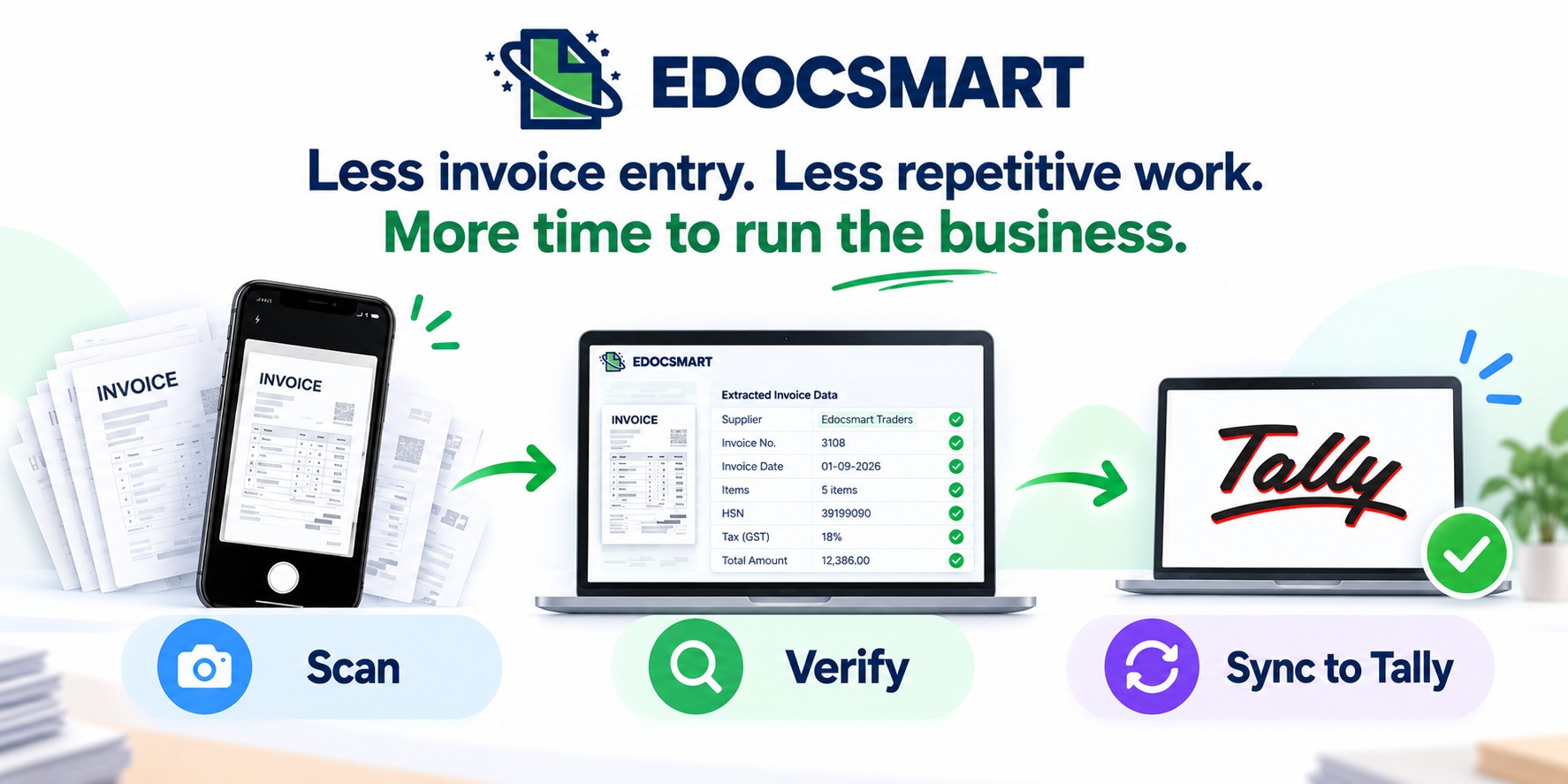
Reduce repetitive invoice data entry by extracting supplier, GST, item, and amount details automatically and reviewing them before sending the data to Tally.

It’s Monday morning.
Purchase invoices have started coming in. One after another, bills are landing on the desk, and someone has to open every invoice, check the supplier details, enter the GST number, add the items, enter HSN codes, and finally create the purchase voucher in Tally.
For a small business, this may look like a normal accounting task.
But when dozens of invoices arrive every week, the same process can consume several hours of productive time.
In many businesses, invoice entry in Tally is still handled manually. One person reads the invoice, another may verify the details, and someone eventually creates the required ledger, stock items, and vouchers in Tally.
The result?
More manual work, more repetitive data entry, and more time spent on accounting operations.
This is where an Invoice to Tally Software can help businesses reduce repetitive invoice data entry and simplify the process of getting invoice information into Tally.
Why Does Invoice Data Entry Take So Much Time?
Invoice data entry involves much more than simply typing the invoice total.
For every invoice, someone may need to enter:
- Supplier or customer details
- GSTIN
- Invoice number and date
- Item names
- Quantities
- Rates
- HSN/SAC codes
- Tax details
- Total amounts
- Ledger information
- Stock item details
- Purchase or sales voucher information
When there are only a few invoices, manual entry may seem manageable.
But as invoice volume increases, the same process gets repeated again and again.
This is
why businesses looking to reduce invoice data entry work are
increasingly exploring invoice automation and AI invoice data extraction.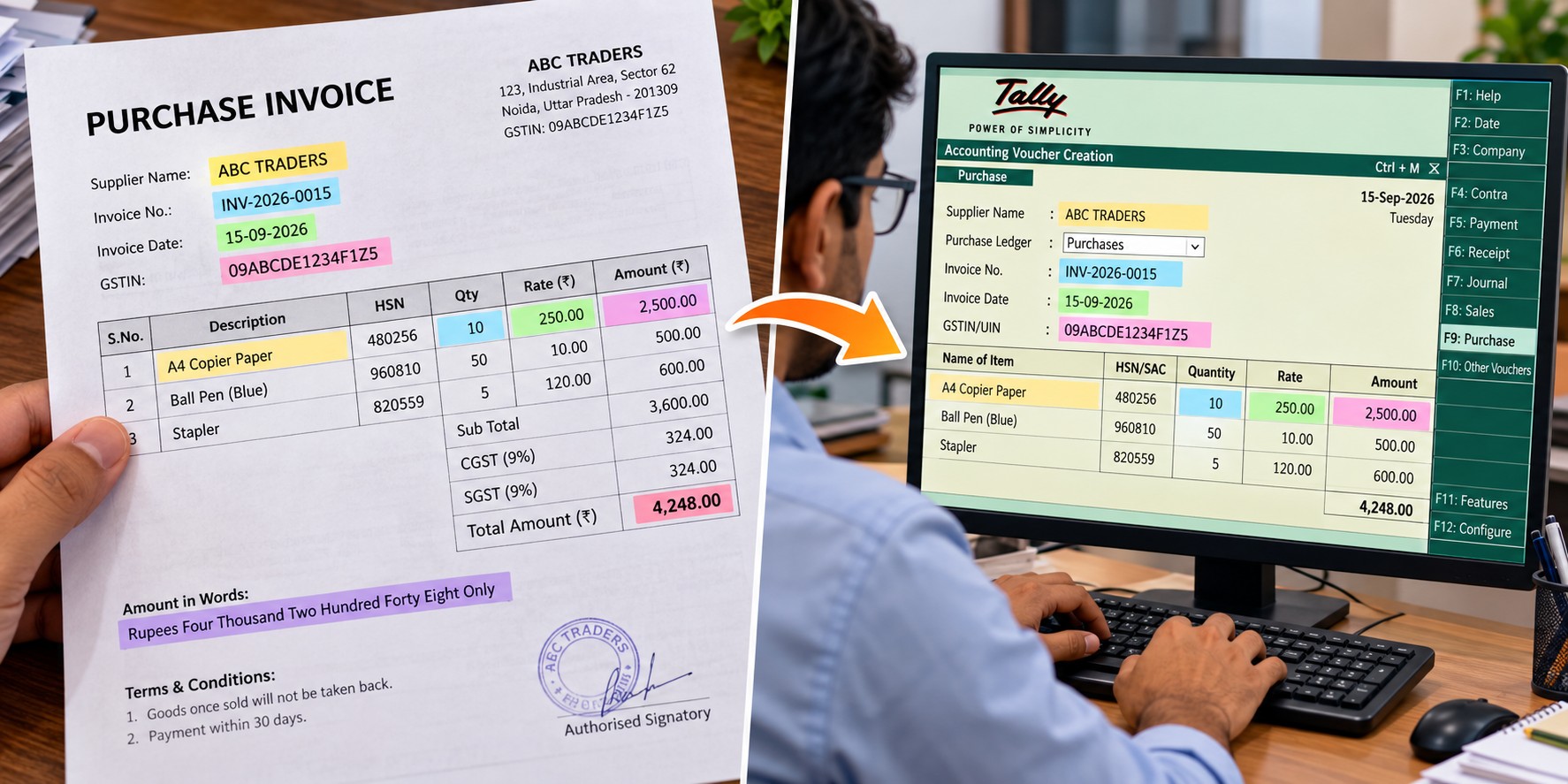
What Is Invoice to Tally Software?
Invoice to Tally Software is designed to reduce the manual effort involved in transferring invoice information into Tally.
Instead of manually reading an invoice and entering every field into Tally, the software can extract relevant information from the invoice, allow the user to verify it, and then transfer the information into Tally.
In a typical workflow, the process can look like:
Scan/Upload
Invoice → Extract Data → Verify → Sync to Tally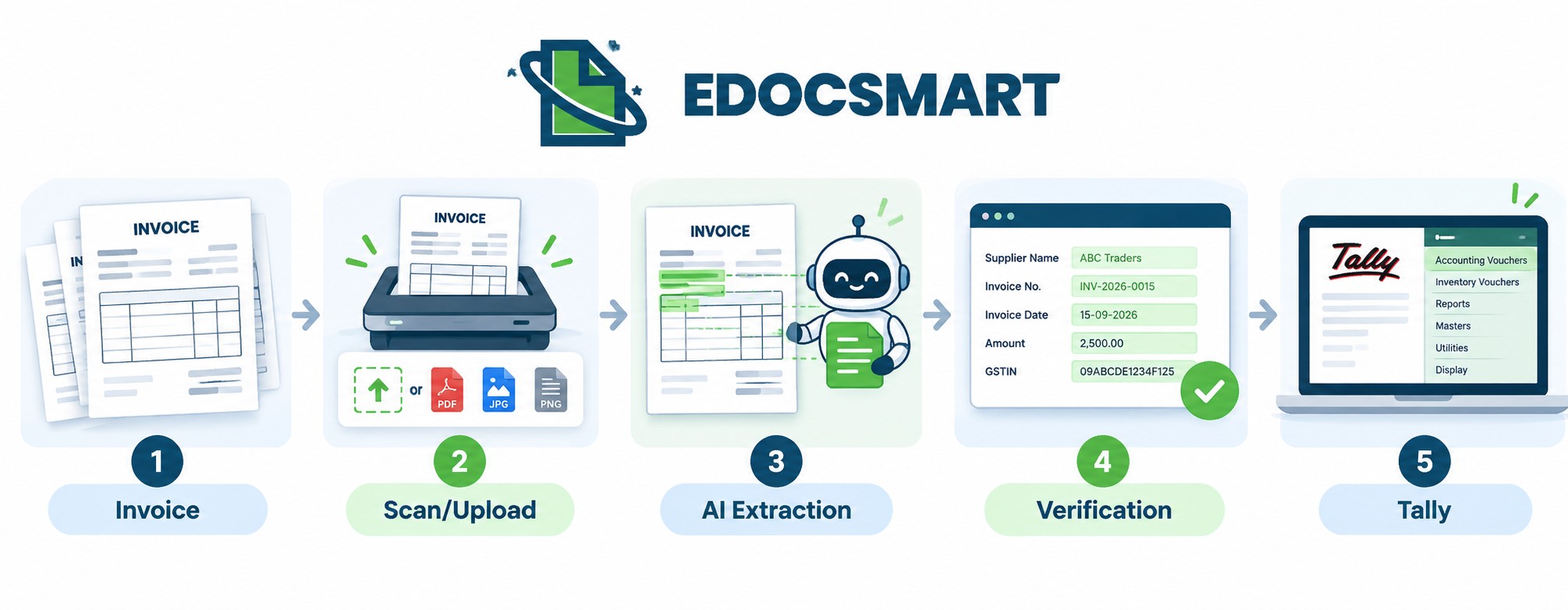
This approach can reduce repetitive data entry while still keeping the user involved in the verification process.
How EdocSmart Reduces Invoice Data Entry Work
With EdocSmart, businesses can start the invoice workflow either from a mobile device or directly from the web application.
1. Scan an Invoice From Your Mobile
When a purchase invoice arrives, you can scan it using the EdocSmart mobile application.
The scanned invoice is automatically available in the web application, keeping the mobile and web workflow synchronized.
This means you don't have to manually transfer the scanned invoice from your phone to your computer.
You can
simply scan invoices as they arrive and continue processing them from the web
application.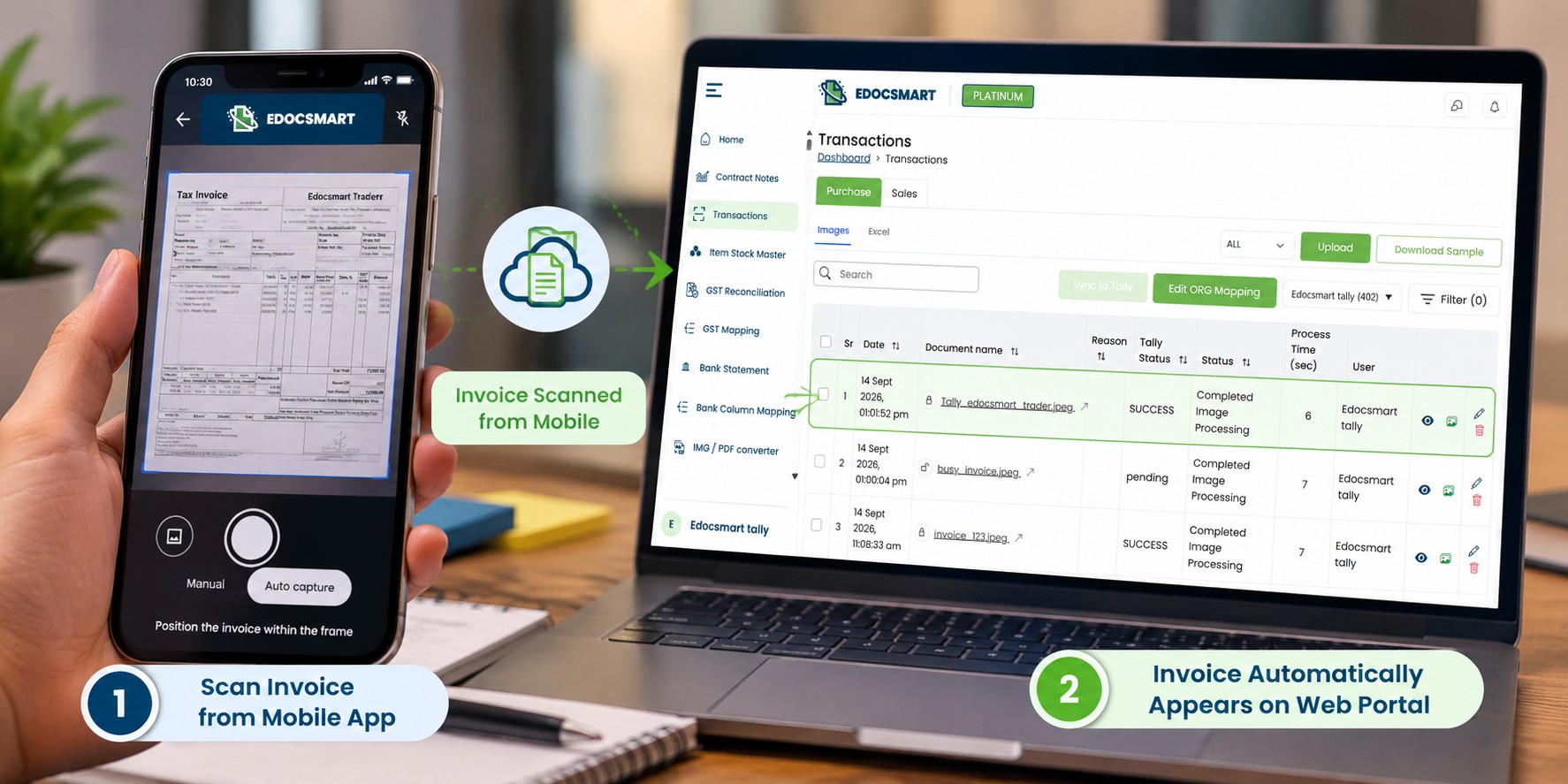
2. Upload Invoices Directly
If your invoices are already available as digital files, you can also upload them directly to EdocSmart.
This makes the workflow useful for businesses receiving invoices through different channels.
Whether you scan a physical invoice using the mobile app or upload a digital invoice, the goal remains the same:
Get the
invoice into the system without manually entering every field.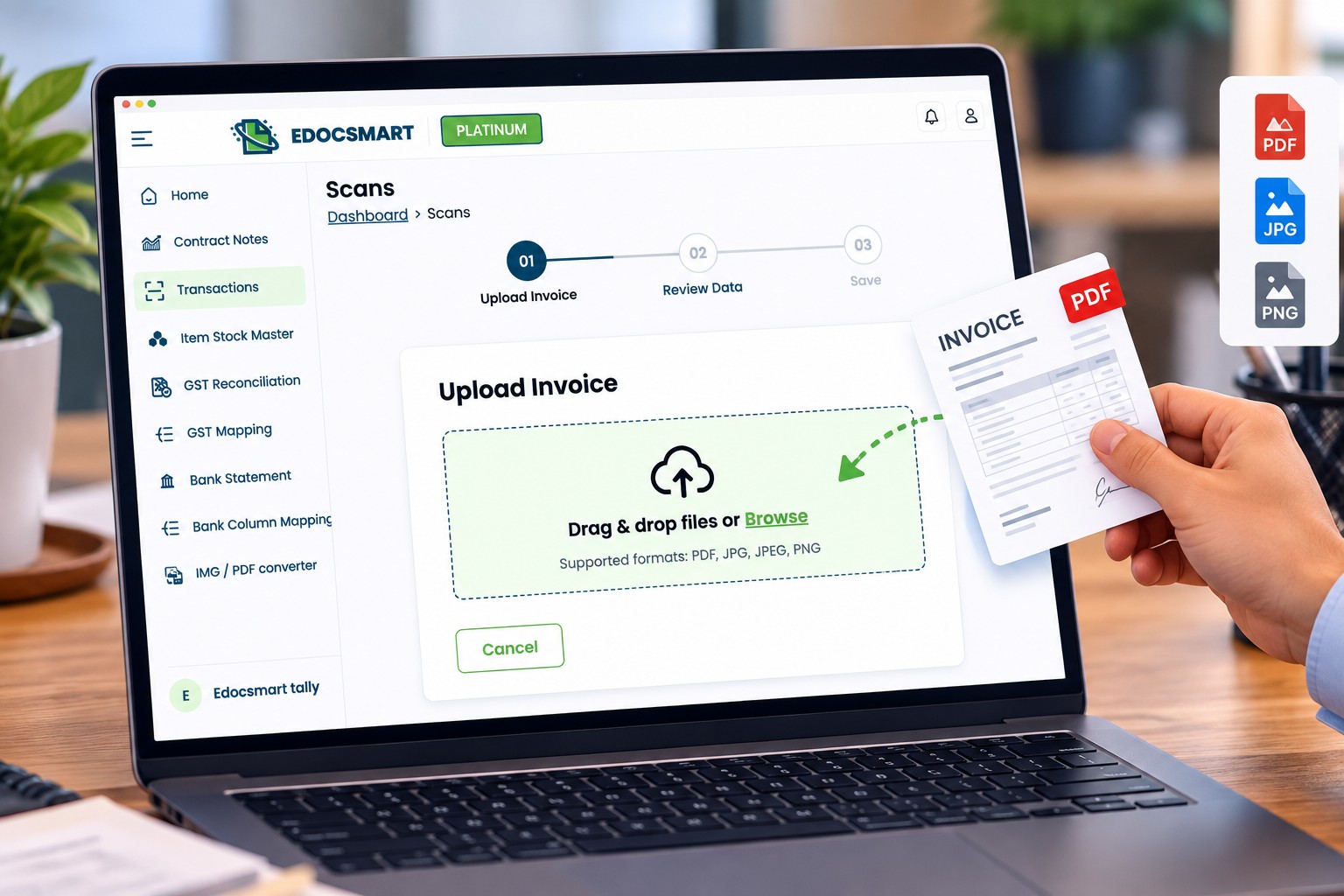
3. AI Invoice Data Extraction
Once the invoice is uploaded, EdocSmart extracts the available invoice information.
This is where AI invoice data extraction can reduce the amount of manual typing involved in the process.
Depending on the invoice, the extracted information can include:
- Supplier details
- GST number
- Invoice number
- Invoice date
- Item details
- HSN codes
- Quantity
- Rate
- Tax information
- Total amount
Instead
of manually entering these details one by one, the user can review the
information that has already been extracted.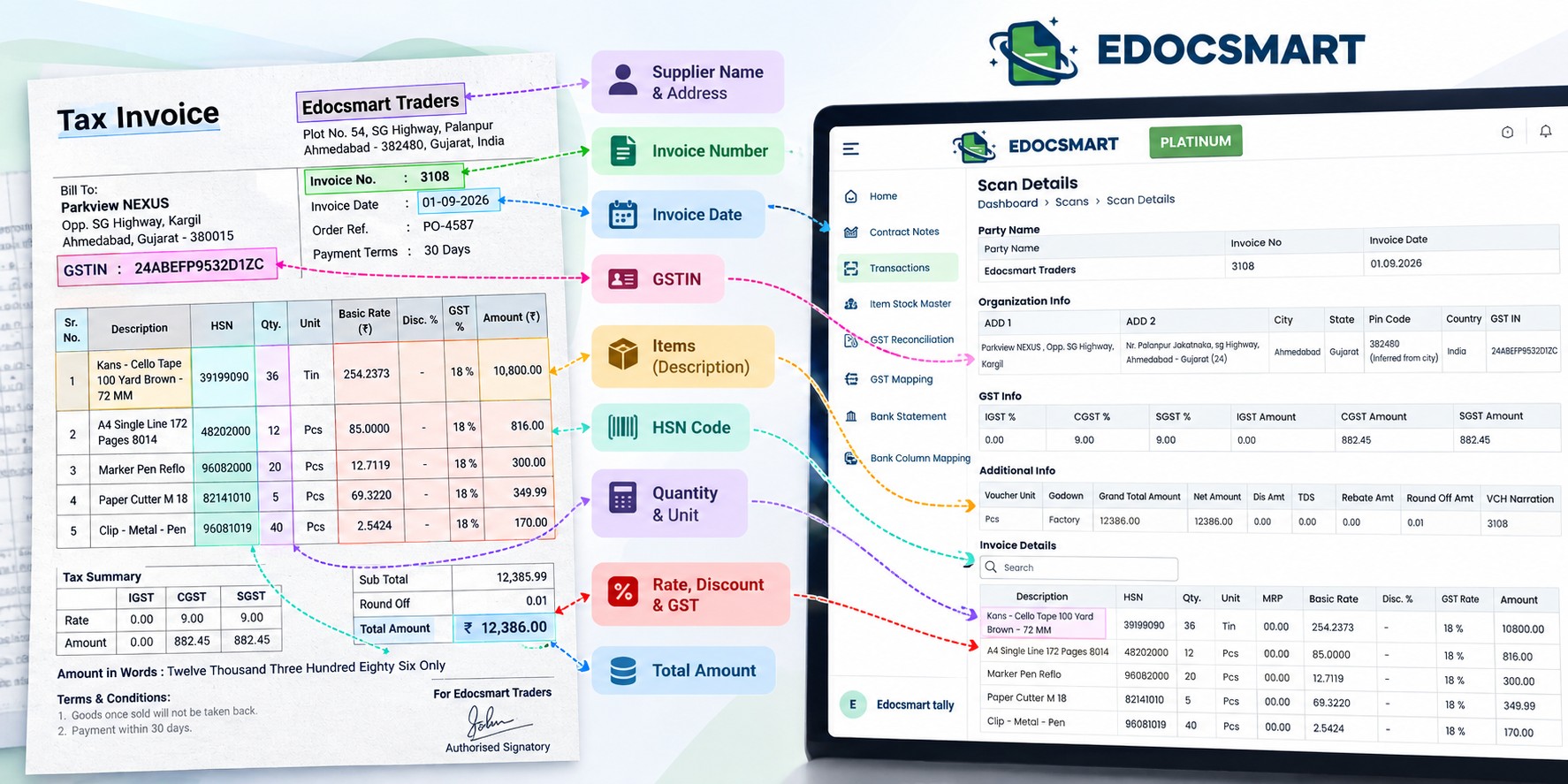
4. Verify the Extracted Data
Automation should not mean blindly sending data to your accounting system.
Before the invoice is synced to Tally, you can verify the extracted information.
This gives the business owner or accounting team an important checkpoint.
The workflow becomes:
Extract first. Verify next. Sync after approval.
This
approach combines automation with human verification.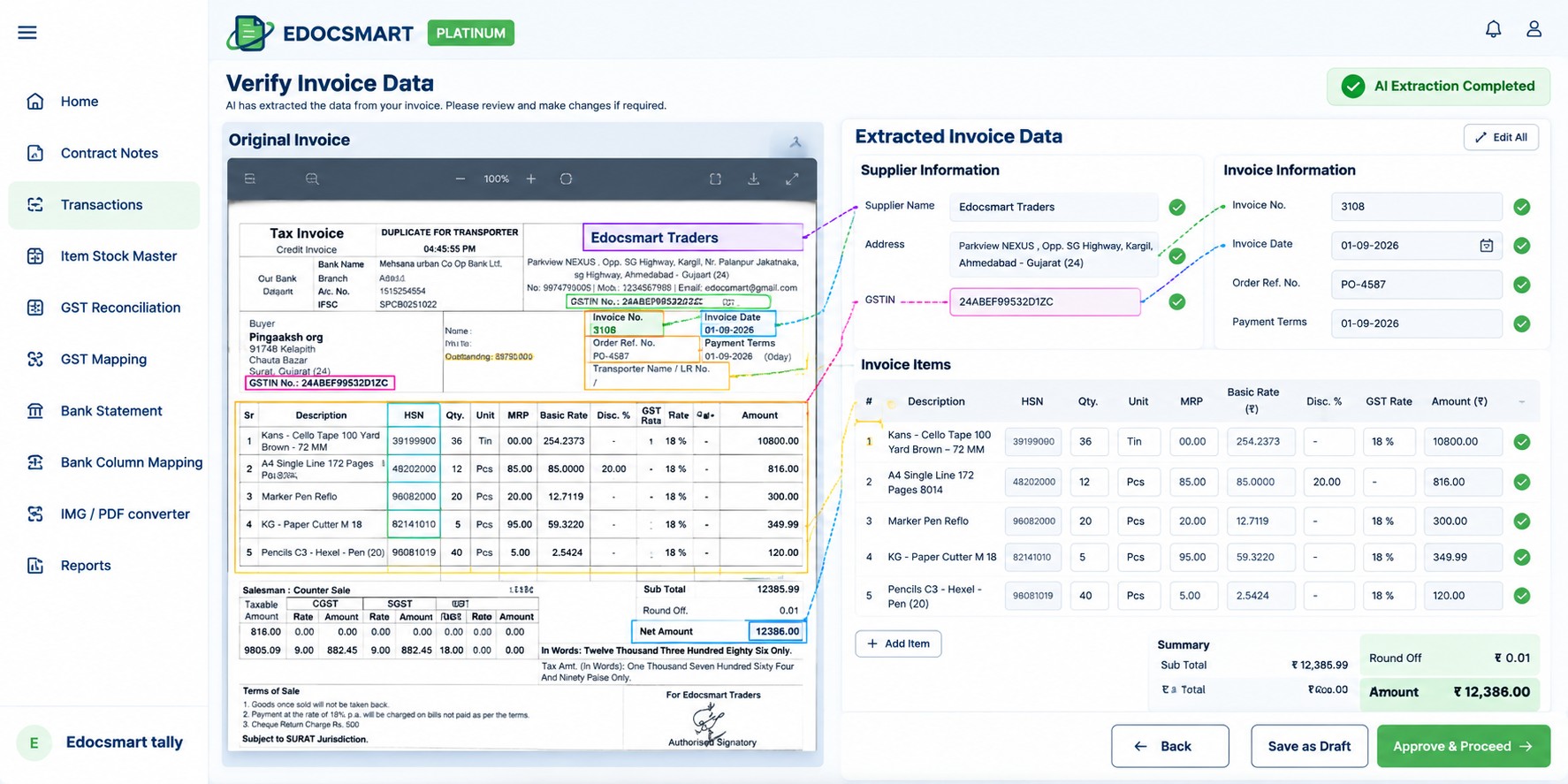
Invoice to Tally: What Happens After Verification?
Once the invoice information has been verified, it can be synced to Tally.
This is where an Invoice to Tally App or Invoice to Tally Software can save more time than simply extracting invoice data.
The objective is not only to read the invoice.
The objective is to reduce the amount of work required to complete the accounting entry.
With
EdocSmart, the information available on the invoice can be used to help create
the required records in Tally.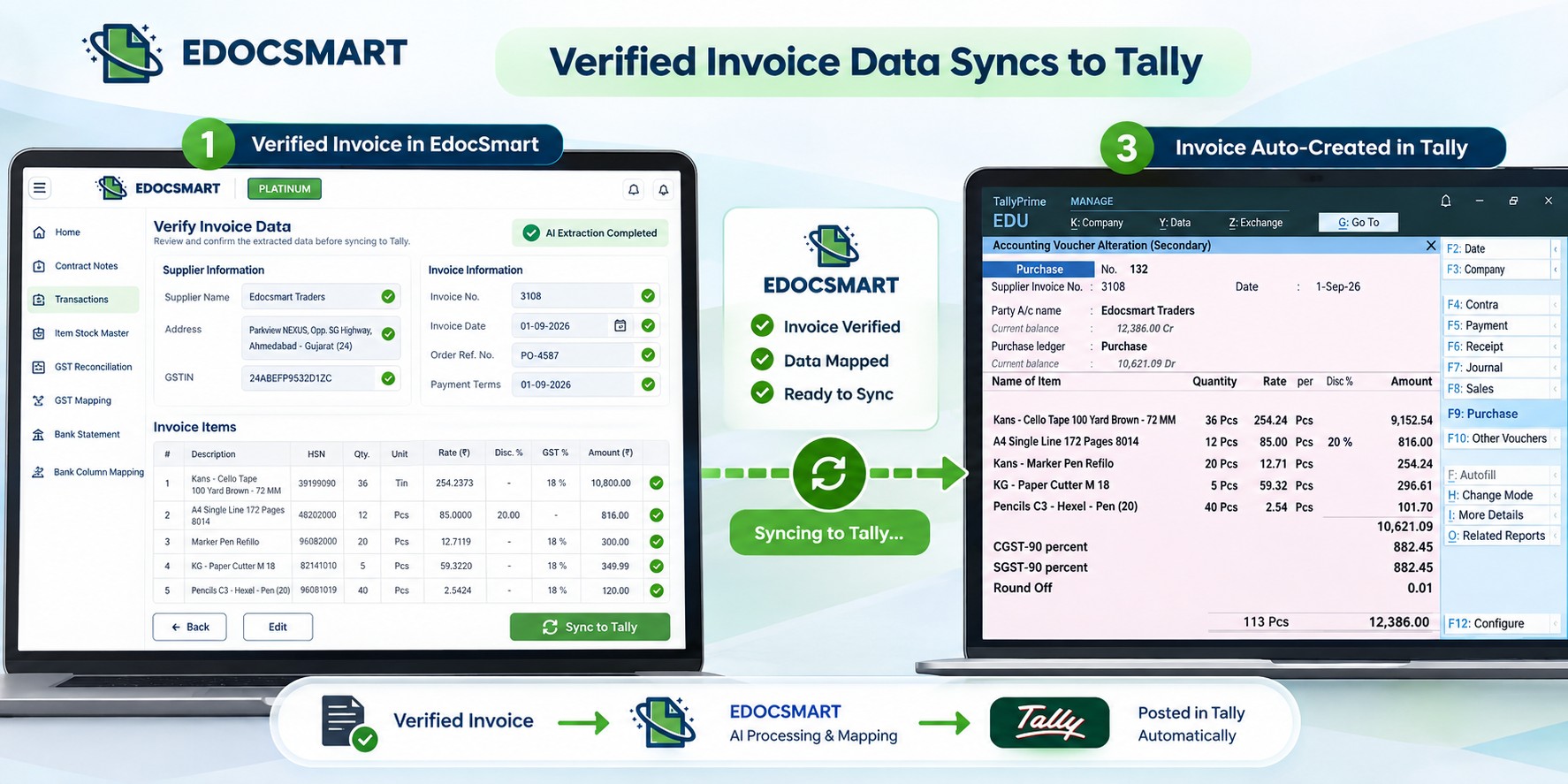
Party Ledger Creation
Suppose a new supplier sends you an invoice.
Normally, someone may need to create the supplier's party ledger manually in Tally.
This can involve entering details such as:
- Party name
- Address
- GST number
- Other available party information
EdocSmart can use the information available on the invoice while creating the party ledger.
This
reduces the need to manually copy the same information from the invoice into
Tally.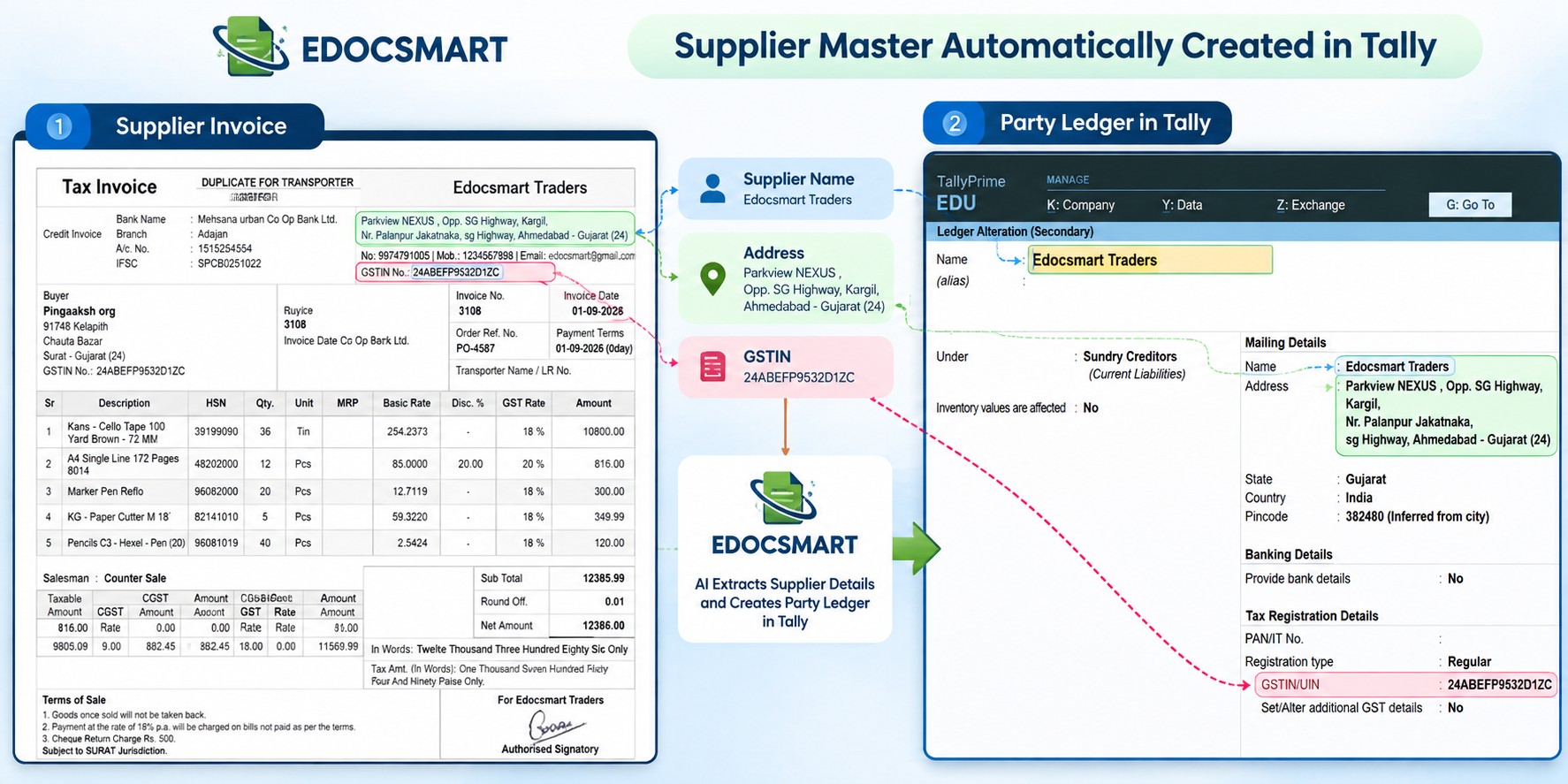
Stock Item Creation
The same principle applies to invoice line items.
If the invoice contains new items, the relevant item information can be used to create stock items in Tally.
Information such as the item name, HSN and line-item details can be taken from the invoice data.
This means the workflow doesn't stop at invoice extraction.
It can
continue into the actual Tally accounting workflow.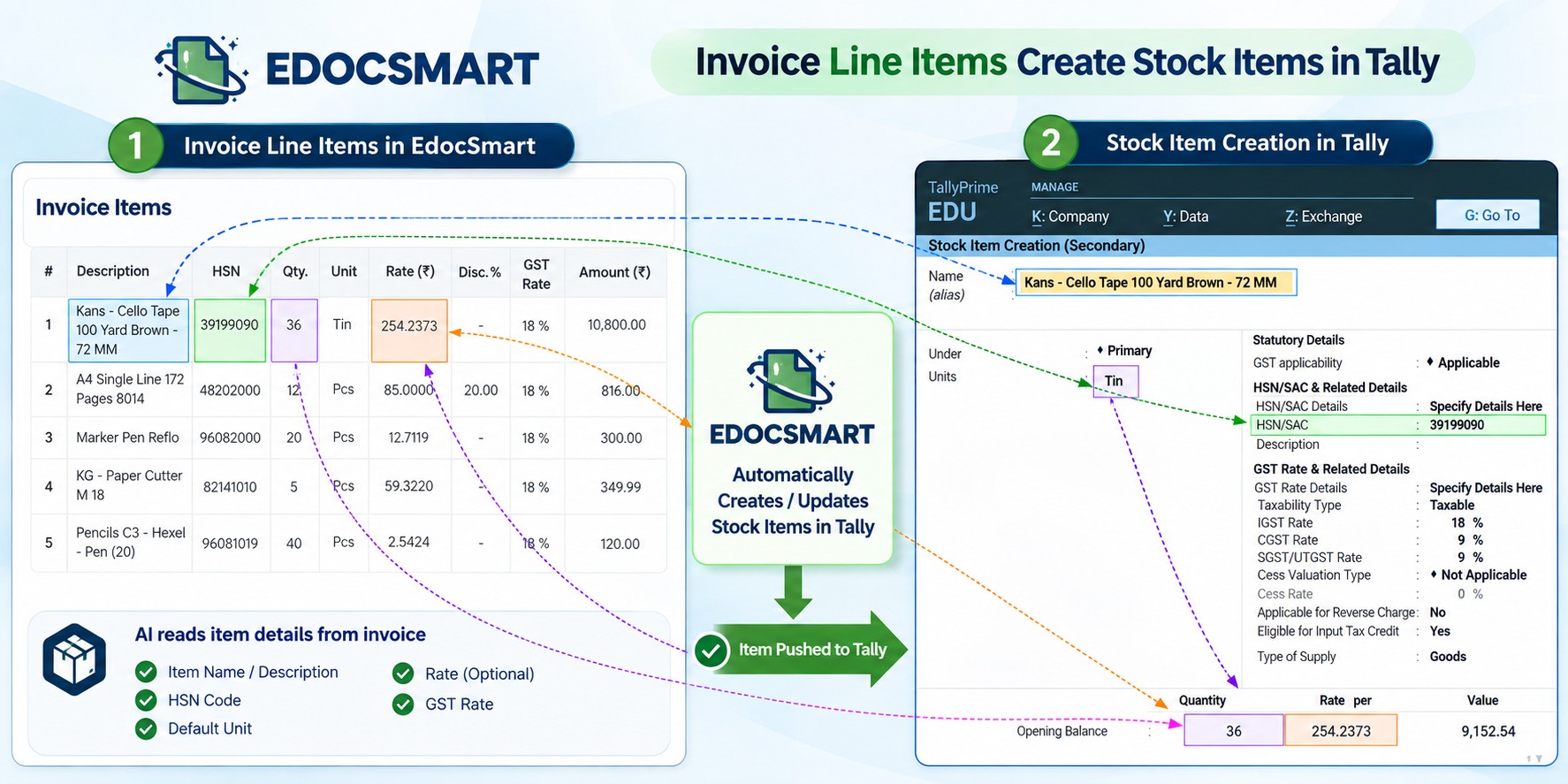
Purchase and Sales Voucher Creation
After the required information is available, EdocSmart can create the relevant purchase voucher or sales voucher in Tally.
So instead of manually performing every step, the process can become:
Invoice → Data Extraction → Verification → Tally Masters → Voucher
This is
the core idea behind using bill to Tally software for invoice
processing.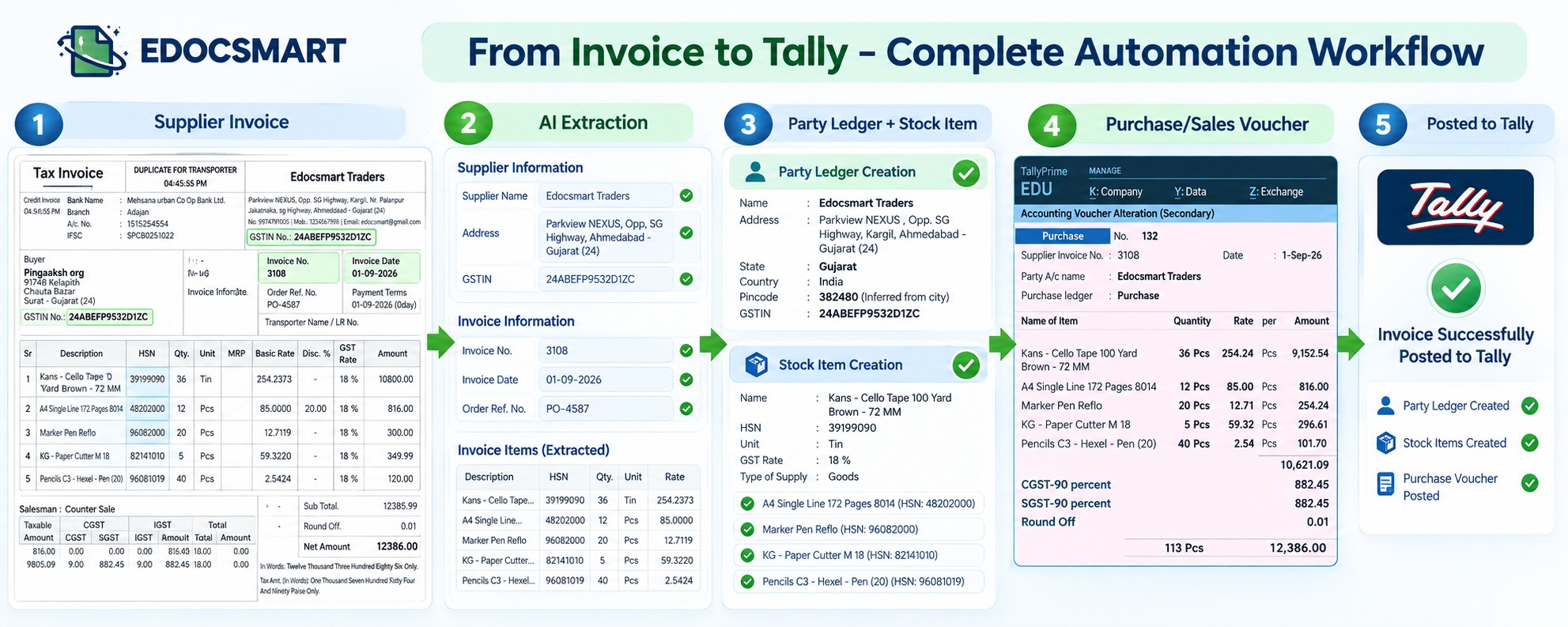
Bill to Tally Prime Software: Reducing Manual Entry
Businesses using Tally Prime often receive a large number of purchase and sales invoices.
Manually entering every bill into Tally Prime can become repetitive, especially when the same process has to be performed every day.
A Bill to Tally Prime Software can simplify this workflow by reducing the amount of invoice information that needs to be manually entered.
Instead of treating every invoice as a separate manual data-entry task, businesses can process invoices in batches and verify them before syncing them to Tally.
This can
be particularly useful for businesses handling a high volume of bills.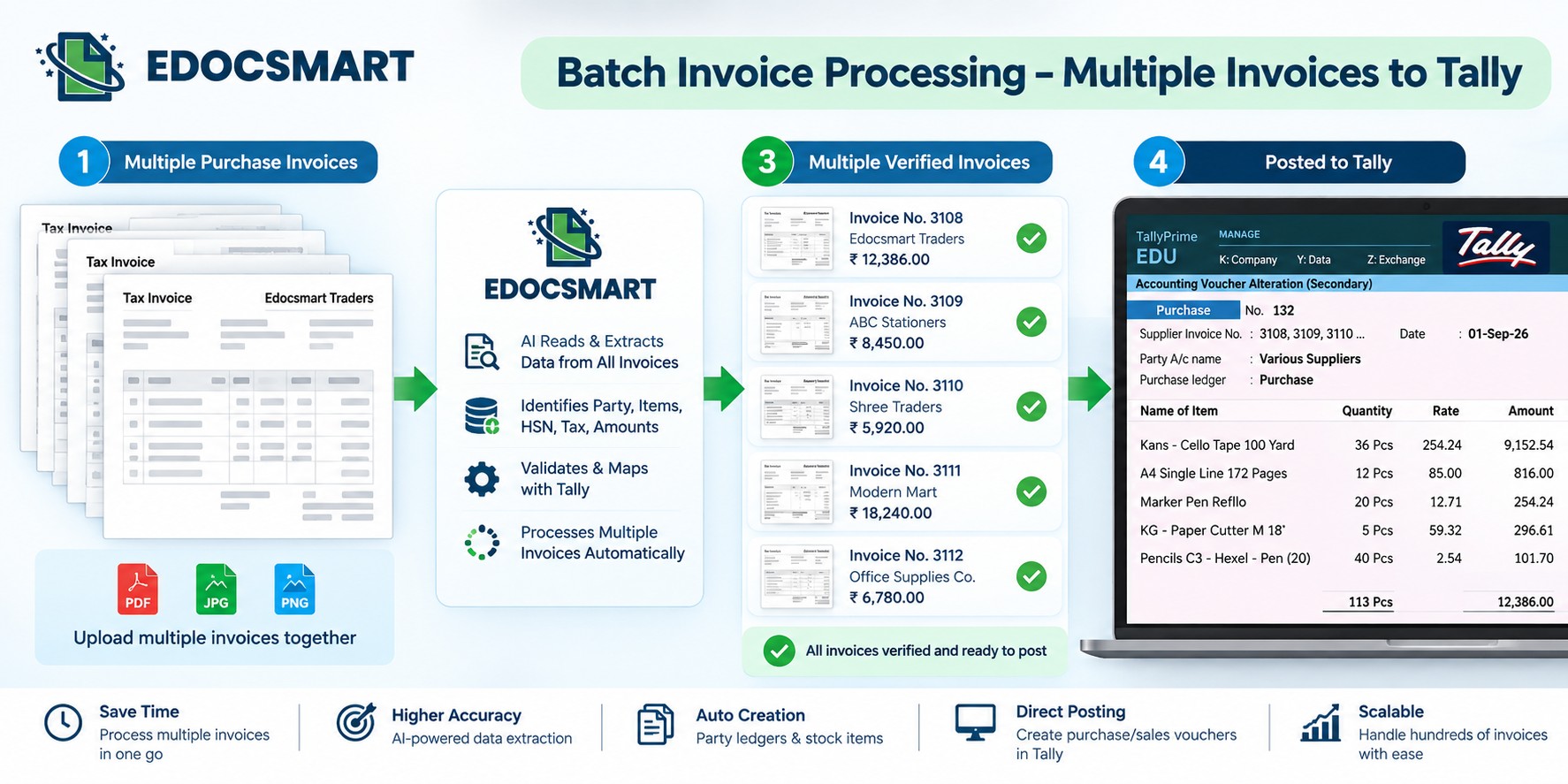
How a Business Owner Can Process Multiple Invoices
Now let's look at the workflow from a business owner's perspective.
Imagine a business receiving 30, 50, or more purchase invoices during the week.
Instead of immediately opening every invoice and entering it into Tally, the owner can simply scan the invoices as they arrive.
The invoices are processed through EdocSmart.
Later, the owner can review the extracted information together, verify the invoices, and sync them to Tally.
So the workflow becomes:
During
the day:
Scan or upload invoices.
In
EdocSmart:
Let the system extract the invoice information.
Before syncing:
Review and verify the extracted data.
Finally:
Sync the verified invoices to Tally.
This is
much different from sitting in front of Tally and manually entering every bill
as soon as it arrives.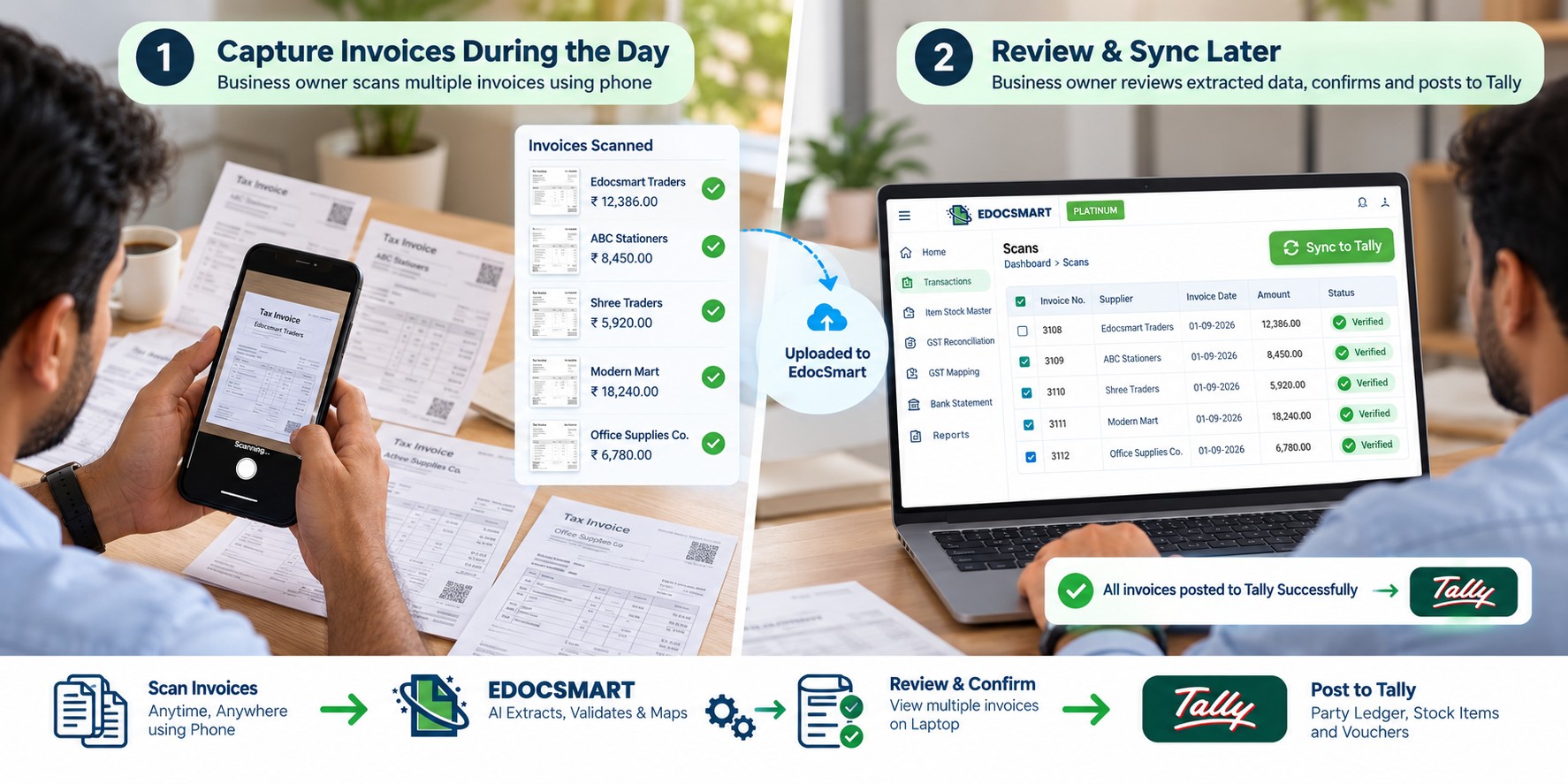
From Invoice Entry in Tally to Invoice Automation
The traditional workflow can look something like this:
Invoice arrives → Read invoice → Enter supplier details → Create ledger → Enter items → Create stock item → Enter HSN → Enter voucher → Verify
With an Invoice to Tally Software, the workflow can be simplified:
Invoice arrives → Scan/Upload → AI Data Extraction → Verify → Sync to Tally
The difference is not simply about reducing the number of clicks.
It is
about shifting the user's role from manual data entry to verification
and approval.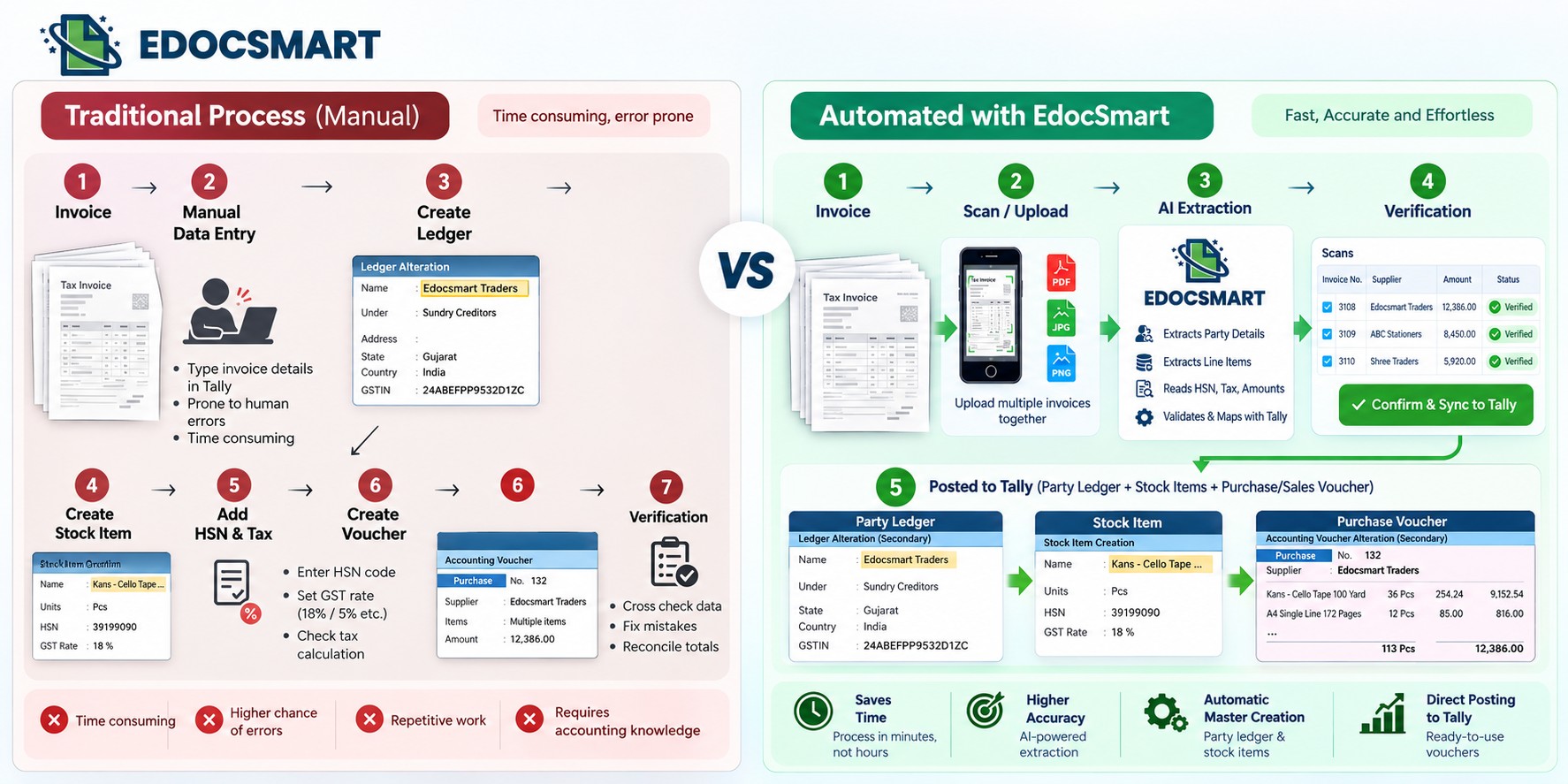
Why Businesses Look for Bill to Tally Import Software
Businesses often search for Bill to Tally Import Software or billing to Tally software when their accounting team spends too much time transferring invoice information into Tally.
The main reasons include:
Reduce repetitive data entry
Employees don't have to manually type every invoice field.
Reduce dependency on manual processes
The accounting workflow becomes less dependent on someone entering every invoice line by line.
Process invoices in batches
Invoices can be collected, processed, verified, and synced together.
Reduce duplicate work
Supplier details, item information, GST information, and invoice details don't have to be manually copied from the invoice into Tally every time.
Spend more time on verification
Instead
of spending most of the time typing, the user can focus on checking whether the
extracted information is correct.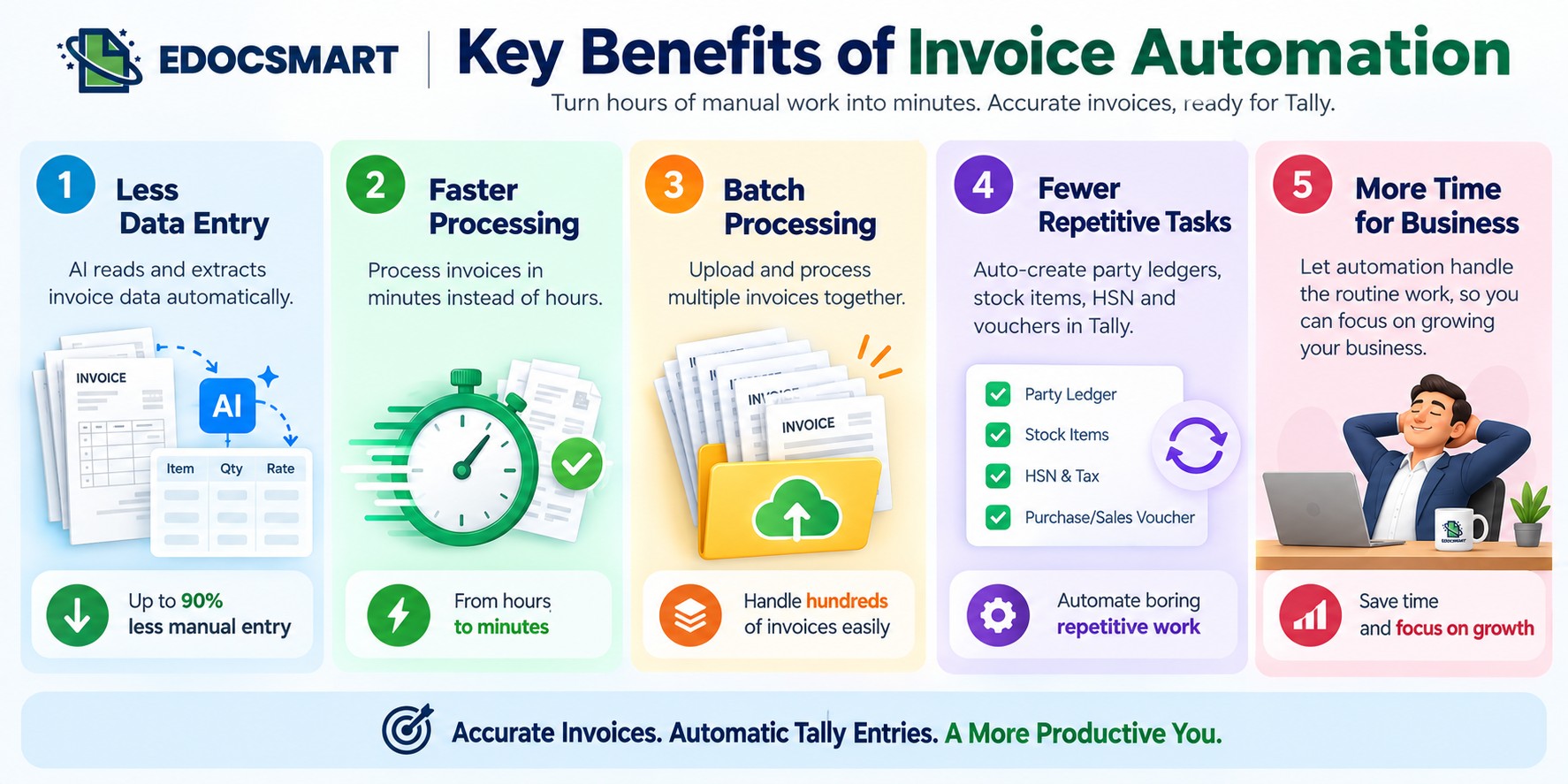
How Much Time Can You Save?
The actual time savings will depend on invoice volume, invoice complexity, the existing accounting process, and how much manual work your team currently performs.
Consider a business where invoice processing previously required around 4–5 hours and 2–3 people.
By changing the workflow to:
Scan → Extract → Verify → Sync
the same business may be able to handle the process in around 1 hour, with the owner managing the verification and syncing process.
The exact results will vary from business to business, but the principle is straightforward:
When
repetitive data entry is automated, the time required for invoice processing
can be reduced.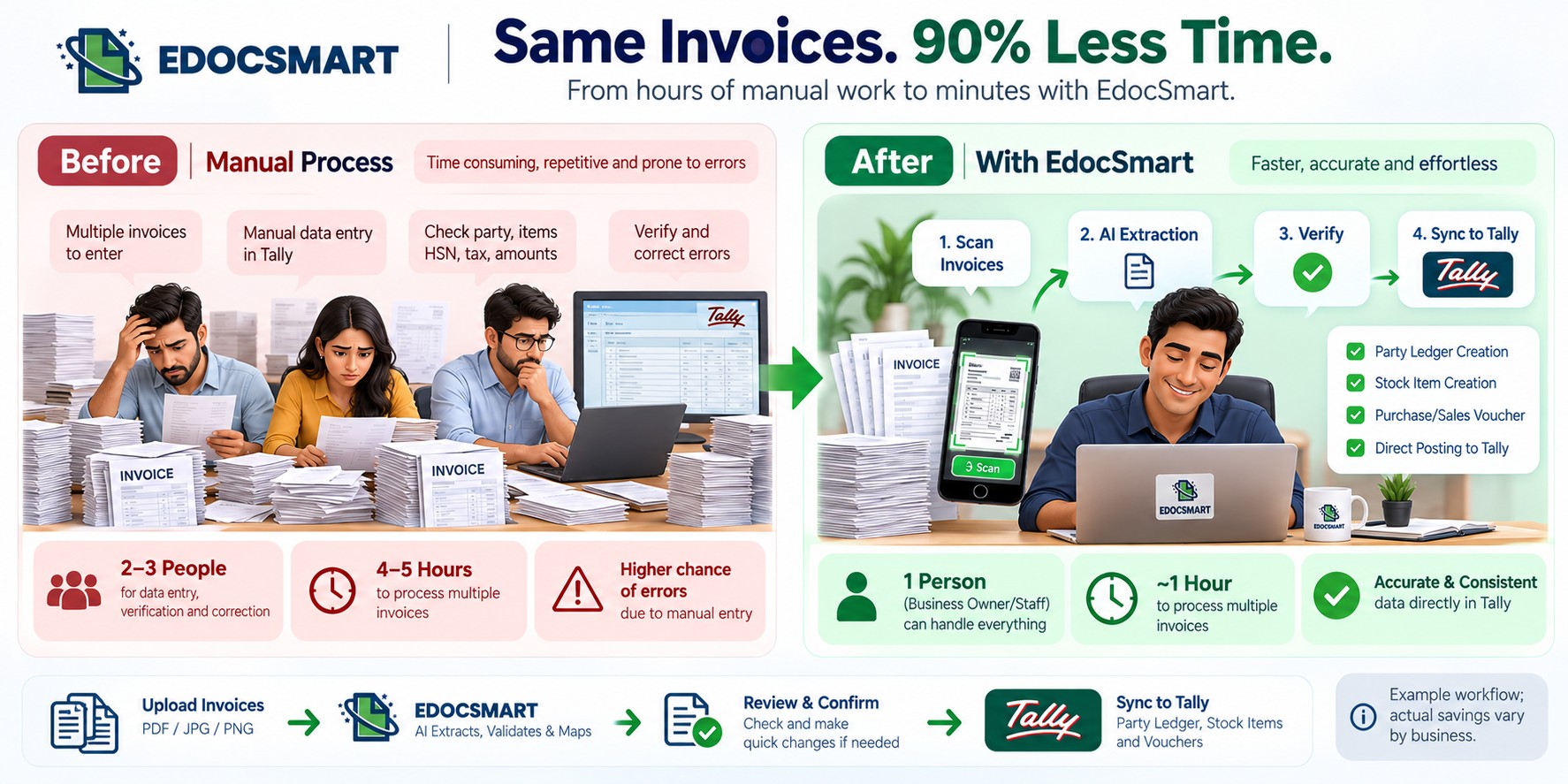
Choosing the Right Invoice to Tally Software
If you are evaluating an Invoice to Tally Software, don't look only at whether it can read an invoice.
Look at the complete workflow.
A useful solution should ideally help you:
- Scan invoices from mobile
- Upload invoices through the web
- Extract invoice data
- Review and verify the extracted information
- Create or update relevant Tally masters
- Create purchase or sales vouchers
- Sync the verified information to Tally
The more
of the repetitive workflow the software can handle, the less manual work your
accounting team has to perform.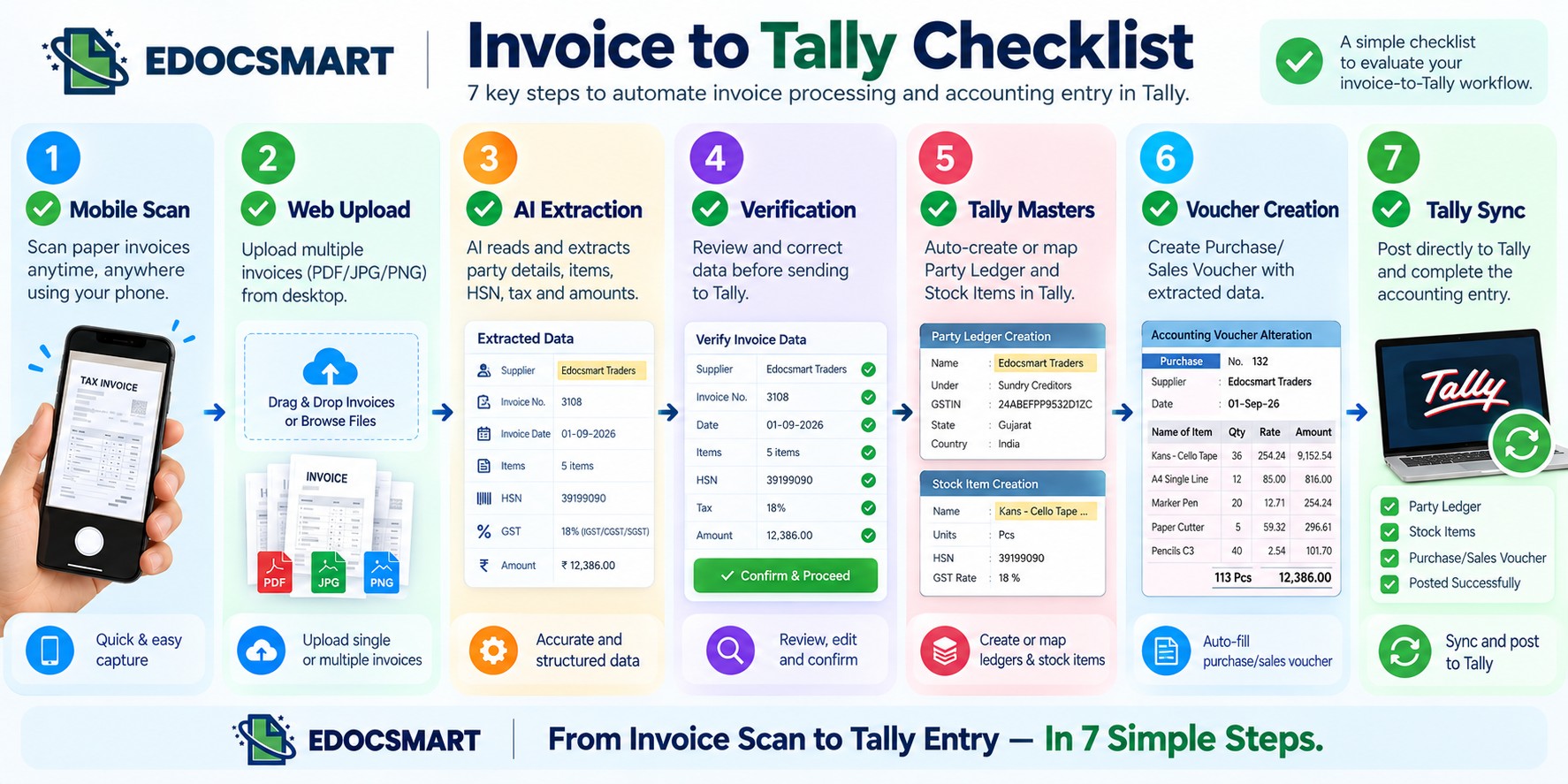
EdocSmart: From Invoice to Tally
EdocSmart is designed to simplify the journey from an invoice to its final accounting entry.
Instead of manually entering every invoice into Tally, you can:
Scan or upload → Extract → Verify → Sync
The system can use invoice information to help create party ledgers, stock items, and purchase or sales vouchers in Tally.
For a
business owner, this means invoices can be processed throughout the day and
verified together instead of manually entering every bill one by one.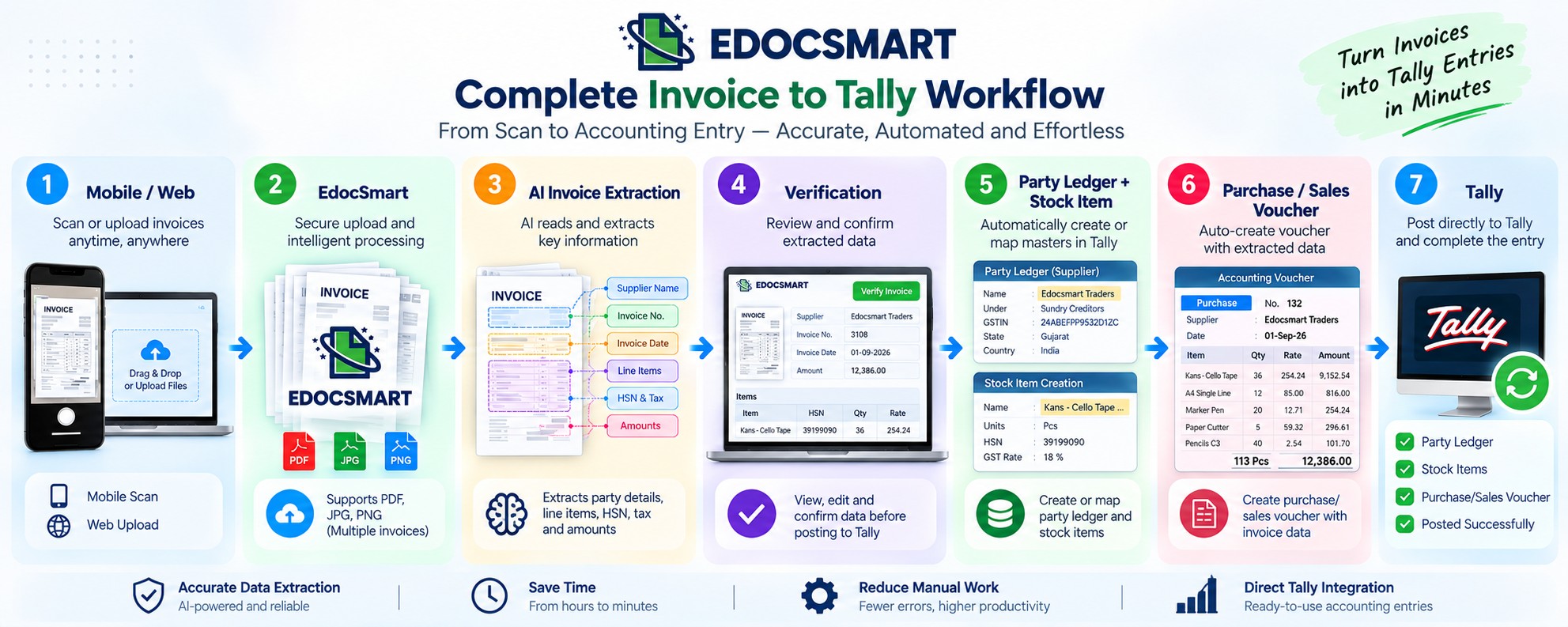
FAQS
1. How can I automate purchase entries in Tally?
Purchase entries in Tally can be automated by using invoice scanning and data extraction software like EdocSmart. The invoice can be scanned or uploaded, important details can be extracted, verified, and then synced directly with Tally.
2. Can purchase invoices be scanned directly into Tally?
Yes. With an invoice automation solution, you can scan purchase invoices using a mobile device or upload them through a web interface. The extracted invoice data can then be transferred to Tally.
3. Can I upload multiple purchase invoices at once?
Yes. Batch invoice processing allows multiple purchase invoices to be uploaded and processed together instead of entering each invoice manually.
4. What information can be extracted from a purchase invoice?
Depending on the invoice, relevant information can include supplier name, GSTIN, invoice number, invoice date, item details, HSN/SAC codes, quantity, rate, discount, GST details, and invoice amount.
5. Can AI create supplier ledgers in Tally?
Yes. Invoice information can be used to create or map supplier party ledgers in Tally, including details such as supplier name, address, and GSTIN.
6. Can invoice data automatically create stock items in Tally?
Yes. Invoice line-item information such as item name, HSN, unit, GST rate, quantity, and rate can be used to create or map stock items in Tally.
7. Do I still need to verify invoices after AI extraction?
Yes. Verification is an important part of an automated workflow. Extracted information can be reviewed and corrected before it is synced to Tally.
8. Can purchase vouchers be created automatically in Tally
Yes. After invoice data is extracted and verified, the information can be mapped into a purchase voucher and synced with Tally
Conclusion
Invoice data entry may seem like a small accounting task, but when repeated across dozens or hundreds of invoices, it can consume a significant amount of time.
The solution is not necessarily to eliminate verification.
It is to eliminate as much repetitive manual data entry as possible.
With an Invoice to Tally Software, businesses can move from manually typing invoice information into Tally to a simpler workflow:
Scan → Extract → Verify → Sync
With EdocSmart, invoices can be scanned from the mobile application or uploaded through the web, processed using AI invoice data extraction, verified by the user, and then synced to Tally.
Party ledgers, stock items, and purchase or sales vouchers can be created using the information available in the invoice.
Instead
of spending hours entering bills manually, the business owner can focus on
reviewing the information and getting the invoices into Tally faster.